
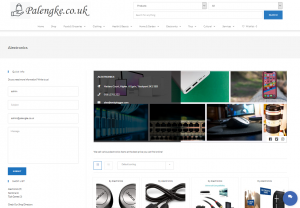
The Front-End is where your shop can be viewed in the eyes of a customer/visitor. The real look and feel of your very own shop.
To view your shop at the front end, click the ‘shop’ in the main menu and click the ‘name of your shop’ under the SHOP LIST in the left side bar.

Your shop is now opened with your shop header, contact details, social buttons, shop description as well as showing all your products, quick info contact form, and Live Chat.
To View your Shop from the Back-End, hover the ‘Palengke’ and click ‘Visit Store’.
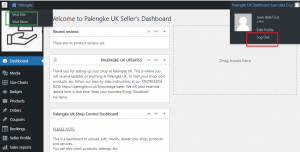
Everything in your shop including sales transactions is customizable and controllable at the back-end of your shop.
