
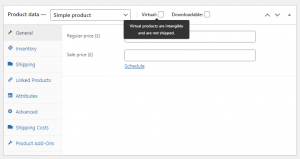
When adding a Simple product, you can tick the Virtual checkbox box in the product type panel.
With Variable products this checkbox is moved to each variation.
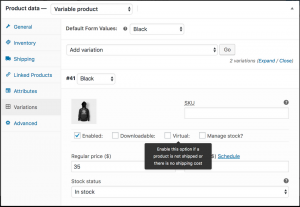
Enabling this, disables all shipping related fields such as shipping dimensions. A virtual product will also not trigger the shipping calculator in cart and checkout.
